Category: Gadgets & Toys

Some recent iOS favourites

A few of my favourite iOS apps at present:

iThoughts HD

I've always had mixed feelings about mind-maps. They're a great way to capture thoughts and to brainstorm, but a terrible way to communicate with others. The chief responsibility of somebody writing a paper or giving a talk, it seems to me, is to turn such a personal 2D 'splat' of ideas into a logically-ordered serial presentation that can be followed by others with different mental processes, and not just to serve up the splat in its unprocessed form.

Still, I do use them for my own notes, and a paper and pen has always been my medium of choice. I've tried several highly-regarded pieces of desktop software, but keyboards and mice just don't seem right for doing this. iThoughts on the iPad is the first environment that feels pretty natural, especially if you use it with a stylus.

Instacast

I listen to lots of podcasts, every day, while shaving, driving, walking the dog. I always used the facilities built into the iPhone music player and iTunes, which aren't bad, so I had never really thought about using a separate app for it. And then I tried Instacast and was an Instaconvert.

Scanner Pro

If you have a recent iPhone with a good camera, then Scanner Pro is a really useful thing to have in your pocket. In essence it's a photo app designed for capturing documents, or parts of documents, and it makes it easy (a) to crop and de-warp the images so as to get something closer to a proper scan and (b) to capture more than one 'page' as a single document and then (c) to email that as a PDF to someone (or upload it to various services). While you'd never confuse the results with the output of a proper scanner, there are times when you might be browsing in a library or perusing a magazine and you don't happen to have a flat-bed scanner in your pocket...

The dictionaries

OK, here's where you might need to start spending some real money... but I've definitely found it worthwhile when travelling to have the Collins language dictionaries in my pocket. I've now bought the expensive versions of the German-English, French-English and Italian-English ones and, even though they're amongst the most costly apps on my phone, have never regretted it. They cost about the same as a hardback equivalent, but are a lot easier to carry around and I find, surprisingly, that I can look things up more quickly in them than on paper.

Another wonderful treat is to have the Shorter OED on my phone, something which in dead-tree form is hard even to lift off my bookshelf! (The current edition comes in two large hardbacks of around 2000 pages each.) It's fabulous for all those times when someone at the restaurant tables asks, "What is the origin of the word 'poppycock'?". Sadly, the iOS app has been discontinued, so if you haven't already got it, you're out of luck, but there are a lot of lesser-but-much-cheaper options available, including Chambers.

Yes, you can often find good stuff on web, but not as quickly, especially if the restaurant table is in a basement. And if it's in a foreign basement, then looking stuff up online may be rather expensive too.

Vous êtes hereux de me voir, ou vous avez une bibliothèque dans votre poche?...

Update 2012–08–14 Since this post, I’ve switched from using Instacast to Downcast. Its interface is a little crowded, on the iPhone at least, but it has a couple of nice features over Instacast.

The first is the ability to skip forward and backwards by a certain number of seconds: useful to skip ads, or to rewind a bit if you were distracted and lost the thread. Instacast has this, but it’s always been very unreliable. With Downcast it’s still a bit hit-and-miss - the buttons often seem to do nothing, or perhaps they’re just too small and so easy to miss - but my success rate is higher.

The second is the ability to sync various things between devices - which podcasts I’m subscribed to, which episodes I’ve already heard, and to some degree, how far through them I am. So I can listen at home on the iPad’s superior speaker and then carry on using my iPhone when I’m on the move.

Very nice.

The key to saving keystrokes

For many years I've been a fan of TextExpander on the Mac, a utility which converts a short sequence of keystrokes into a much longer one. For example, most of my email messages end with

All the best,
Quentin

which appears when I type 'atb' and hit space. There are many much more complex things you can do with TextExpander, which is good, because it's a little pricey for a small utility, but in the end I realised that 35 bucks wasn't too much for something I use dozens of times every single day.

But typing efficiency is even more important when you have a sub-optimal keyboard, like the iPhone or iPad's. One of my favourite tips is that you can get an apostrophe or quote mark by pressing the comma or full-stop key briefly and sliding upwards; there's no need to switch into punctuation mode. (I wrote about this before once, but I think it must have been on Twitter or Facebook, which means I can't find it now. Note to self: always keep useful stuff on blog.)

Anyway, one of the recent iOS updates added a very handy but somewhat hidden keystroke-expansion feature, and I've realised that I'm using that all the time too.

Under Settings > General > Keyboard you can create shortcuts, which will let you do something similar to my 'All the best' trick, and can be very handy if you have a silly long name like mine: 'qqsf' expands into 'Quentin Stafford-Fraser', complete with capitals and punctuation.

But the thing I've found most useful is to have abbreviations for my main email addresses, since an increasing number of sites use them as login usernames. I find I'm always having to type, say, 'quentin@mycompany.com' on my little iPhone keyboard, and it was a real pain until I replaced it with 'qmc' and a space.

One small note: if you use it this particular way, there are some sites that get confused if you leave the space on the end. So I actually tend to type 'qmc<space><backspace>', but that's still a great deal easier than the whole address.

Multi-hop networking

Venice, as you may know, is made up of about 100 islands connected by lots of little bridges. That's roughly how the little network here in my Venice hotel room works, too.

The hotel charges for a wifi connection - only a one-off charge, but it is per-machine, so I only paid for my Macbook to be connected. With recent versions of OS X you can easily create a PAN (a 'Personal Area Network') using Bluetooth, so Rose's laptop and my iPad could then get access by using my Mac as a Bluetooth < -> Wifi gateway. All very cool.

However, I could not get my iPhone to connect that way. I don't know whether it should work or not - the general expectation is that you're more likely to use your phone to provide connectivity for your laptop than the other way around! But I wanted a connection for the phone because I needed to download maps and other reference materials to have in my pocket as we explored, and I didn't want to pay roaming data charges.

And then I realised that, just as my laptop was sharing its wifi connectivity to Rose's laptop using a Bluetooth PAN, so her machine could then share that connectivity as a wifi network again! And, hey presto, my phone had a network, so I can now download maps to my heart's content!

What else would one be doing in Venice, after all?...

:-)

Emotional Computing

I've always been fascinated by the work my friend Peter Robinson and his team have been doing at the University's Computer Lab, in trying to make computers both understand, and express, emotions.

But I hadn't seen this very nice little video they made just over a year ago.

A vision of the future? Yes, indeed.

In 1994, Knight Ridder's Information Design Lab produced a video which was their vision of the future of newspapers: The Tablet Newspaper. Have a look at around 2:20, and see if it looks at all familiar!

(I guess my nearest equivalent in gadget prediction is shown here.)

Digital Archaeology: Ode to a Cantabrigian Urn

Tucked away on a backup disk yesterday, I discovered a few thousand of my emails from the 1990s. And in the folder from late Feb 1992, I found something I thought was lost forever. Bob Metcalfe was visiting Cambridge, on sabbatical to the University Computer Lab, just as we were setting up the Trojan Room Coffee Pot camera. He wrote about it in his column in Communications Week, a publication which, sadly, closed down not long afterwards (roughly at the time when the camera was connected to the web and became quite famous). This original article was therefore, unknowingly, the first published reference to what was to become the world's first webcam.
But I didn't have a copy, and nor did Bob - the old Mac floppy on which he saved it would have been hard to read now even if he could have found it - and if anyone kept an archive of CommWeek articles, I haven't found it on the web. (Few people in 1992 would have heard of the World Wide Web, even those reading this kind of technical article.) But, as it went to press, Bob sent me a copy by email, and, sure enough, just over 20 years later, there it was, easily readable by my Apple Mail program.

There's probably some useful lesson there about the longevity of different data formats... Anyway, while it may have little interest to anyone not closely involved with networking technologies at the time, I'm still very glad that, with Bob's kind permission, I can now make the article available here. And I must take more care of my email archives in future...

Con-Text

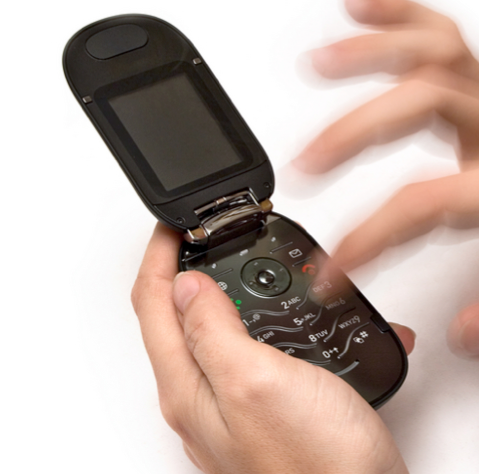
The phenomenal success of SMS text messages is a fascinating example of many things - the need for an asynchronous communications mechanism between humans, the surprising adoption of what was originally a test facility for engineers, the merits of enforced brevity in communications, and our voluntary blindness to some costs when they're expressed in a certain way.
Let me explain that last point. Let's say that a text message, once outside your allowance, costs you 7p, and that the average text is maybe 70 characters long, so a character costs you 0.1p. On this basis, a megabyte of data costs £1000. About $1600. (A little more, actually, since SMS characters are only 7-bits). Or, to put it another way: to send a floppy disk's worth of data would probably cost you a lot more than the computer from which you sent it. To send an MP3 track would cost you about the same as a car. And in my case, if I happen to be in the States when I send a text, it costs seven times as much. Seven cars.

Now, you could argue that everybody gets lots of texts in their calling plan, which is of course true, at least in your home country - I never get close to exhausting my allowance - but it's this theoretical underlying price that allows the networks to charge for this as a bonus. Suppose you pay £3 more per month for a plan that gives you 300 texts instead of 100 texts. It looks like a bargain - you're getting those texts for just 1.5p each! That's only £220 or so for a megabyte, or, in music terms, a thousand quid per track.

Now, if you have a smartphone, consider the data portion of your plan. I'm looking at two Vodafone SIM-only schemes here, and the only difference between them is 500MB of data per month. The price difference is £5 - i.e. one penny per megabyte.

This factor of twenty thousand in the two different ways of sending data, over the same network, from the same device, has always amazed me. There are lots of approximations in the above calculations, of course. You could point out that IP-based traffic has lots of overheads, which of course it does, for small amounts of data, but that's mostly because we often see that data wrapped in a web page. I also assumed that people on average only type 10 words per text; if you always used your full 160 characters you'd save a fair amount per byte. So perhaps the true cost factor is more like 5000, or even 1000. But can you think of any other aspects of your life where choosing that alternative wouldn't make you pause for thought?

Now, this only exists at all, of course, because in the past there was no choice. Phones were simple devices without a full IP software stack, they had small keyboards and limited ability to create or display any other kind of media. But once you had phones that could run apps like iMessage or WhatsApp, which could efficiently send messages using protocols of their own, the picture changed.

So it's no surprise that a recent study suggests mobile operators lost $14bn last year because of such apps. It was only a matter of time.

Mounting phone costs...

...not very much!

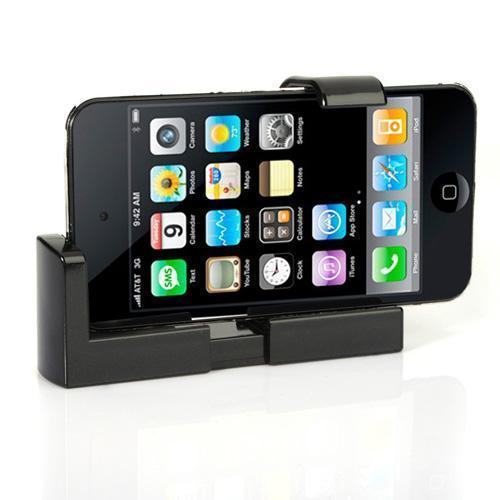
I've just received one of my cheapest eBay purchases in a while and was pleasantly surprised.

It gives your iPhone or HTC a standard 1/4" tripod mount socket. Not the most robust construction, but not as plasticky as I'd expected, either. It ships from Hong Kong, so takes a little while to arrive, but here's why it's worthwhile...

The price is about £1.40 (about $US 2.20). Including postage.

Silicon heating

In the study/shed at the end of my garden, I've just turned off an elderly Pentium-based PC which consumed about 200-300W.

The result is that I now need to turn up the heating.

Is this foolish? I mean, the vast majority of energy used by CPUs, RAM, hard disks and PSU emerges in the form of heat in the room in which they're located. Will my underfloor heating be more efficient? In the same way, I've been replacing my nice old filament lightbulbs with expensive and less-pretty LEDs. I know it makes sense in the summer, but in the winter...?

Of course, the problem with the PC was that it was indiscriminate in its heating tendencies - for the last few months I've often been sitting in here with the door or window open - whereas the real heating is thermostatically controlled. On the other hand, the PC could actually do useful work as a side effect - run backups, for example.

I've often thought that in houses of the future, computing power should be combined with the heating and air-conditioning systems: it would make much more sense to have them in the same room and then distribute pixels and heat from the same source. (Which is partly why I'm looking forward to future DisplayLink chips with full ethernet support).

In the meantime, how about a thermostatically-controlled PC? Has anyone done this? It would be off on hot summer days, come on as the temperature dropped, and you could schedule certain tasks - backups, downloads, compressing the TV programs you've captured, ripping DVDs, re-indexing document collections, uploading photos to the cloud - to run at times based at least to some degree on the usefulness of the energy consumption involved.

I feel a patent coming on...